AdministrationChildren, groups and roles. Organised.
Organise your institution, enrolment and staff, and give each person access that matches their responsibilities.
Kinderbase · Web
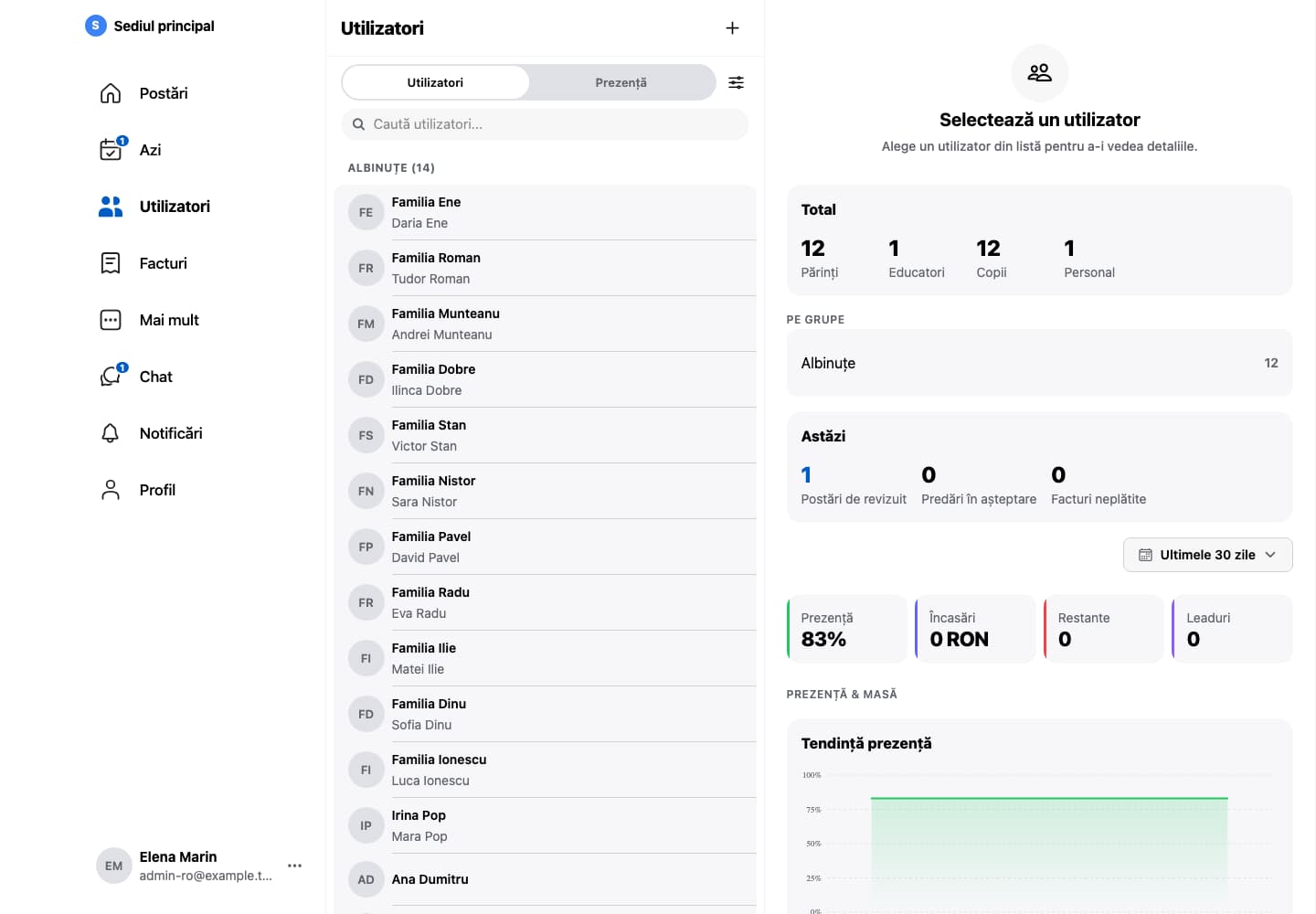
The families and children of each group, with the day at a glance beside them.Fictional example data. App shown in Romanian.
AdministrationChildren, groups and roles. Organised.
Children, family and staff lists need to stay consistent throughout the year. Kinderbase connects this structure to everyday work.
01
Set up the institution
Add groups and your institution’s details. If you run several locations or invoice through several companies, set up each one.
02
Organise people
Link children to their groups and parents. Scanned identity documents are read on the device and fill in the forms. Invite the staff who will use the app.
03
Review access
Assign the right roles (Administrator, Teacher, Employee or Parent, or your own) and revisit them as your team changes.
One institution structure for communication, attendance and administration, with statistics and Excel exports.
Questions and answersFrequently asked questions
Yes. The built-in roles are Administrator, Teacher, Employee (for staff who do not work with the children) and Parent. Permissions are set per role for each section, and your institution can create its own roles.
Families fill in a public enrolment form, without an account, and choose their own visit time; they receive a confirmation and a reminder by email. After the visit, the family enrols or joins a group’s waiting list. When a place becomes free, the first family on the list automatically receives an offer, valid for 48 hours.
Yes. Staff clock in on a tablet in kiosk mode with a personal PIN, and administrators see who is in, live. Leave requests are sent from the app and approved by administrators, and the monthly timesheet exports to Excel.
During setup, we discuss the data structure and next steps. First send a description of your format without children’s personal information.